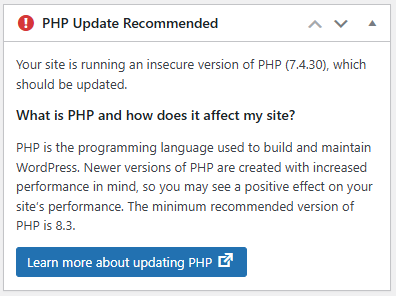
If you’ve managed WordPress sites for any length of time, you’ve seen this warning.
“PHP Update Recommended – Your site is running an insecure version of PHP (7.4), which should be updated.”
The problem isn’t the warning itself—it’s figuring out what will break before you upgrade PHP. Often developers either test in production (risky) or set up PHPCompatibility with Composer locally (time-consuming).
I needed something faster for my dev workflow, so I built a plugin that handles this directly in WordPress.
What This Plugin Does
Eli’s PHP Compatibility Scanner runs PHPCompatibility checks on your themes and plugins without any external setup. The dependencies are bundled, so you just activate it and scan.
One major caveat: This only works in development environments—LocalWP, XAMPP, Docker, self-hosted servers. Managed hosts like WP Engine and Kinsta disable the exec() function for security reasons, which this plugin needs to run the scanner.
Installation
In your dev environment’s WordPress admin:
Plugins → Add New Plugin
Search for “Eli’s PHP Compatibility Scanner” and activate it or download it from https://wordpress.org/plugins/eli-php-compatibility-scanner/
All the required dependencies (PHP_CodeSniffer and PHPCompatibility) are included with the plugin.
Running a Scan
Navigate to Tools → PHP Compatibility Scanner
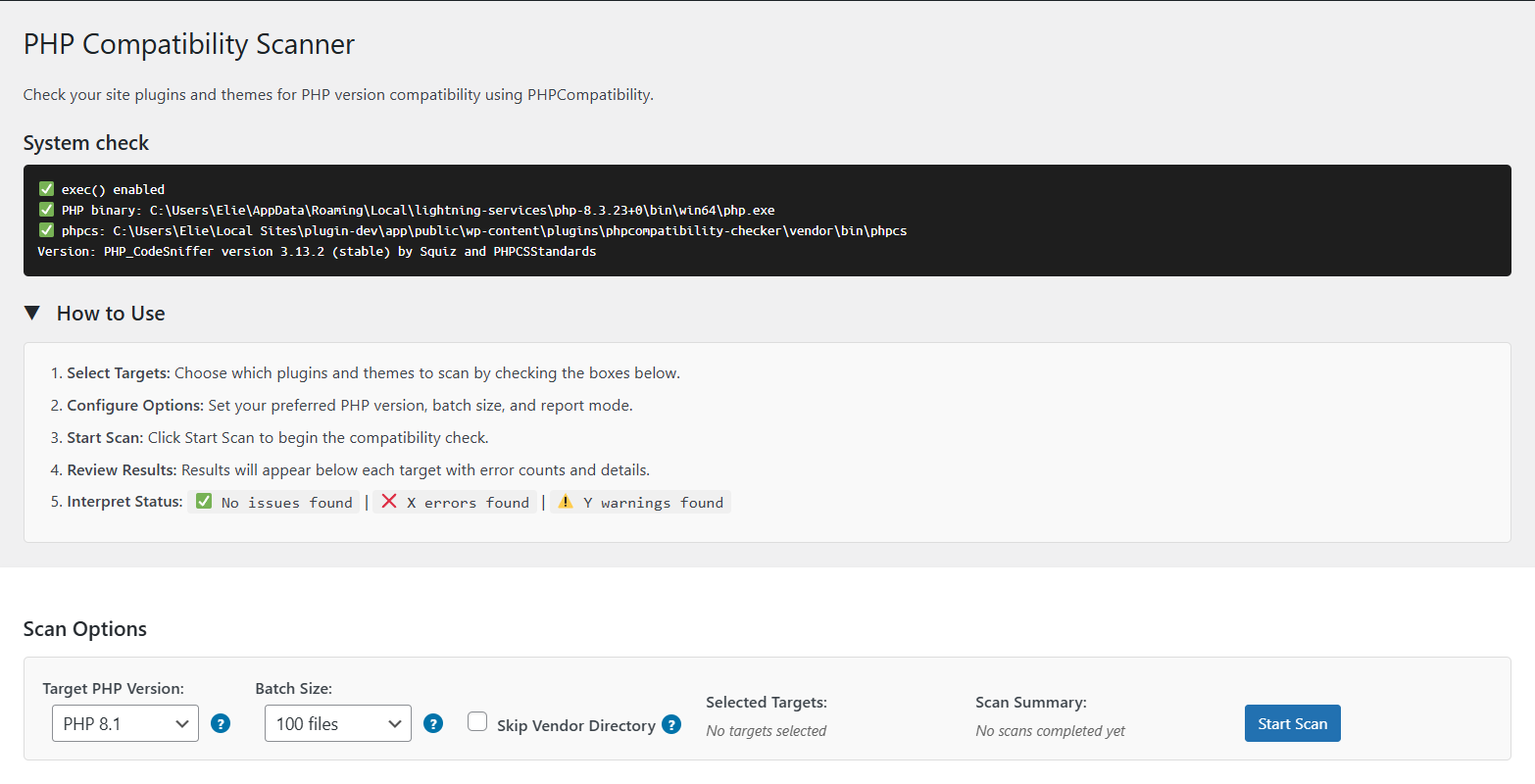
Plugin dashboard displaying environment compatibility check results
The environment check runs automatically. If you see errors here, your environment doesn’t support the plugin—usually because exec() is disabled or PHP binaries aren’t accessible.
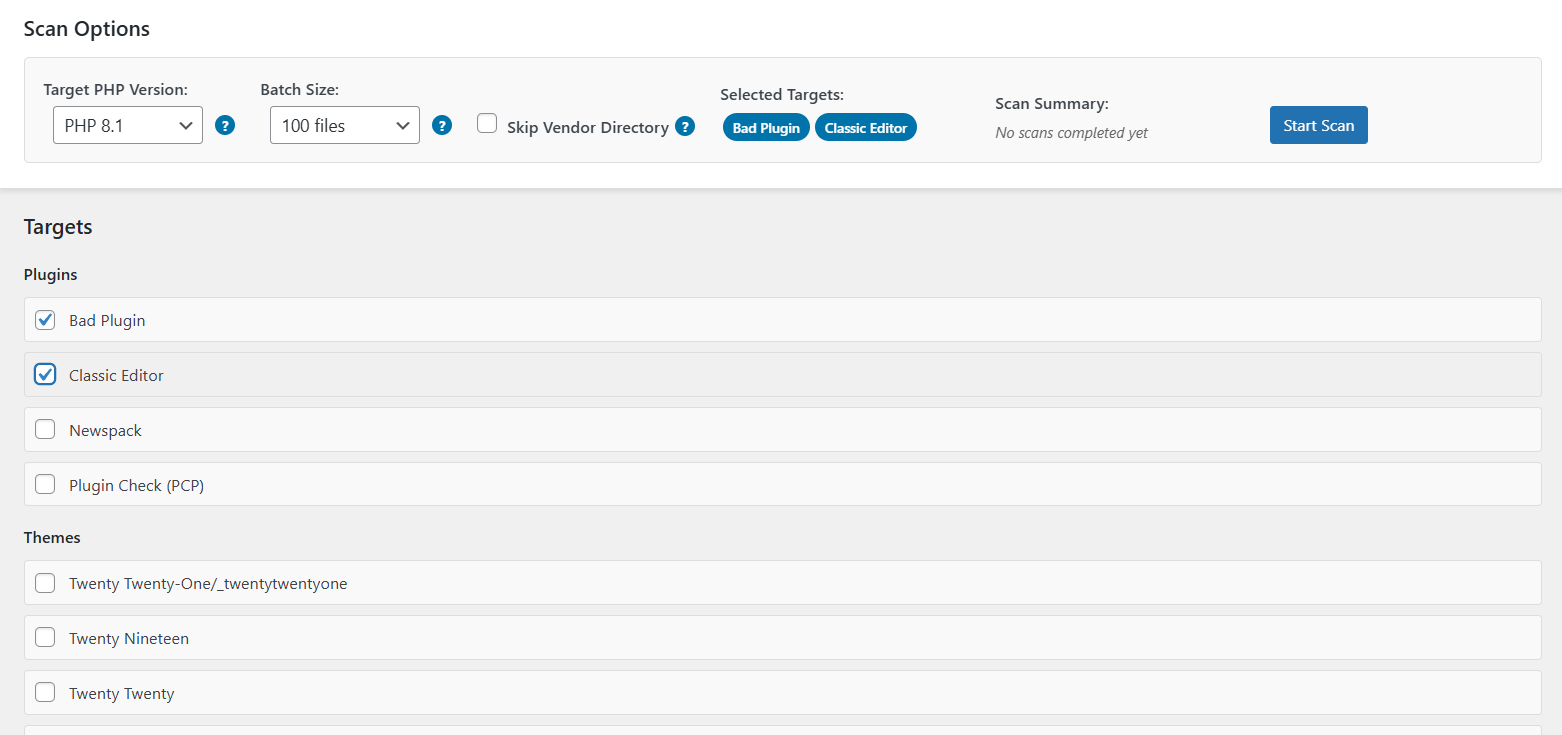
Configuration panel with scan options and available plugins/themes selection
Select the plugins and themes you want to scan. You can check multiple items and scan them together.
Configuration options:
- Target PHP Version: Pick which version you’re testing against (7.4 through 8.4)
- Batch Size: Number of files processed at once. Default is 50, which works for most sites
- Skip Vendor Directory: Leave this checked unless you specifically need to scan vendor files
Click Start Scan
The scanner processes files in batches and updates progress in real-time. You can stop and resume if the scan runs long.
Scan time depends mostly on how many files you’re checking. The actual analysis is fast—most of the time goes into processing large codebases.
Understanding the Results
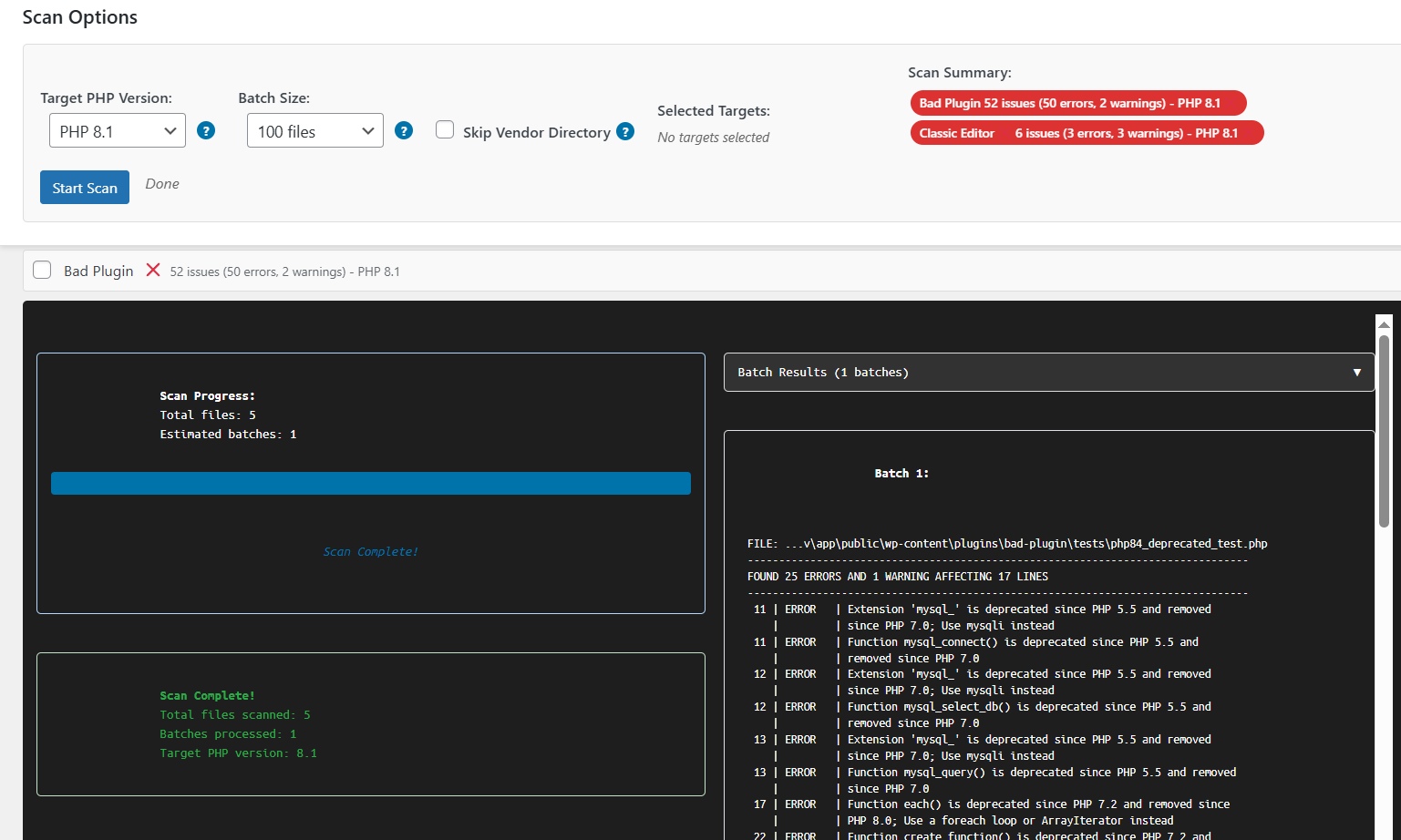
Scan results showing detected PHP compatibility errors in selected plugins
When issues are found, you’ll see:
- ❌ Errors: Code that will break on your target PHP version
- ⚠️ Warnings: Deprecated features that might cause problems
Click any item to expand the details. The scanner shows the exact file path, line number, and what’s incompatible.
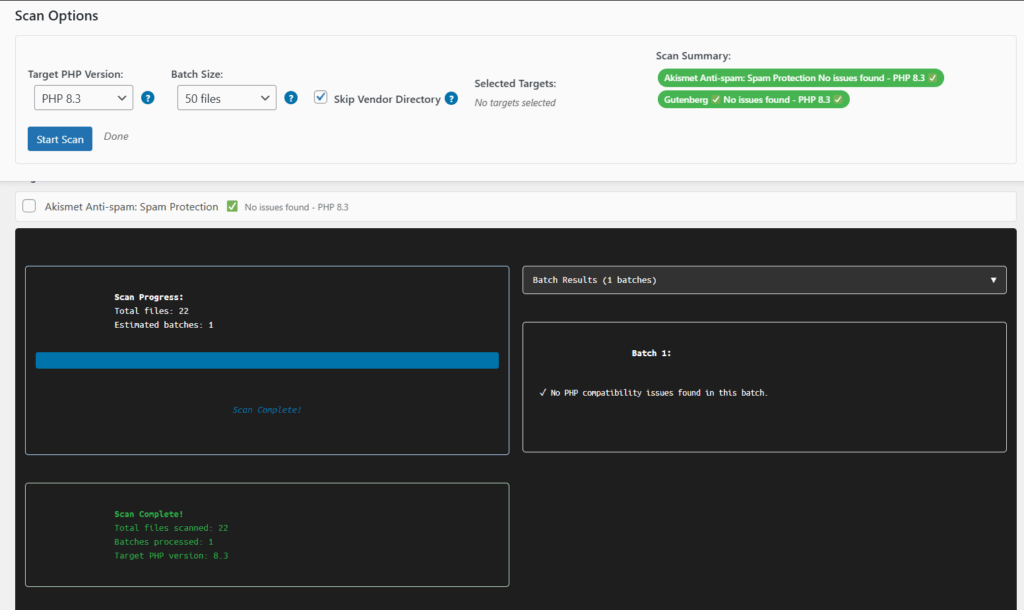
Clean scan results indicating no compatibility issues found
If everything passes, you’re clear to upgrade.
What to Do With Errors
Check for updates first. Many compatibility issues are fixed in newer plugin versions.
If there’s no update available, contact the developer or look for alternatives. For custom code, you’ll need to refactor the problematic sections.
Warnings are less urgent—they indicate deprecated features that still work but may break in future PHP versions.
Troubleshooting
Scan stops unexpectedly: Reduce the batch size or increase PHP memory limit in your wp-config.php
Timeout errors: Use the stop/resume feature. The plugin saves progress between batches.
Environment check fails: Verify exec() is enabled and PHP binaries are in your system path.
The scanner only reads your files—it never modifies them. Any temporary files created during scanning are cleaned up automatically.
Why Development Environments Only?
This plugin executes PHP commands through exec(), which most managed hosts disable for security. It also needs:
- Direct access to PHP binaries
- Permission to create temporary files
- Loose execution time limits for large scans
Development environments provide all of this. Production hosts typically don’t.
Wrapping Up
I built this to avoid the usual PHPCompatibility setup dance every time I need to check a project. Activate it, run a scan, see what breaks. Simple as that.
The plugin is relatively new. If you run into issues or have suggestions, feel free to ask questions below or contribute on https://wordpress.org/plugins/eli-php-compatibility-scanner/.